
Smart TVs are among the most delicate items that movers in Hamilton, Indiana, transport daily. Unlike the bulky TVs of the past, modern TVs are thinner, lighter, and far more delicate.
OLED, QLED, and ultra-thin LED screens are especially vulnerable to pressure, temperature changes, and improper handling. One wrong move can lead to cracked panels, dead pixels, or internal damage that doesn’t show up until you turn it on days later. For that reason, following the right process can mean the difference between a flawless setup and an expensive replacement.
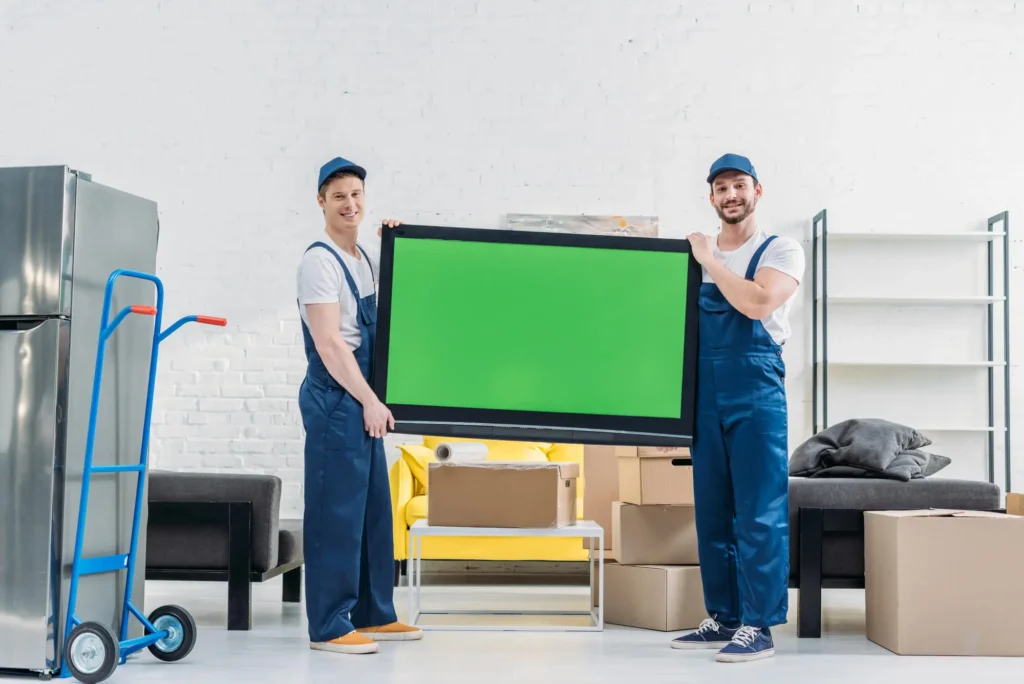
Step-by-Step Guide on How to Pack and Transport a Smart TV
Step 1: Gather the Right Packing Supplies
Most TV damage happens because people “make do” with the wrong materials. Before you touch the TV, gather:
- A TV-specific moving box (the original box is ideal)
- Soft foam corner protectors
- Microfiber cloth or screen protector sheet
- Stretch wrap or moving blankets
- Painter’s tape (never duct tape)
- Zip-top bags for cables and screws
Using a box designed for TVs isn’t overkill—it’s insurance. These boxes are built to absorb vibration and keep pressure off the screen.
Step 2: Power Down, Disconnect, and Label Everything
Turn the TV off and unplug it at least 30 minutes before packing. This allows internal components to cool and reduces static risk.
Then carefully disconnect all cables, including HDMI, power cords, and soundbar connections. Label each cable or place them in a clearly marked bag taped to the TV box. This saves time—and frustration—during setup.
If the TV is wall-mounted, remove the mount carefully and store the screws in a labeled bag. Never transport a TV while it’s mounted.
Step 3: Protect the Screen Like It’s Glass (Because It Is)
The screen is the most fragile part of any smart TV. Lay a microfiber cloth or screen protector directly over the display before wrapping. Then, you can begin adding protection by:
- Adding foam corner protectors
- Wrapping the TV in a moving blanket
- Securing with stretch wrap (not tape on the screen)
If placing the TV in a box, fill any space with foam inserts—never loose packing paper, which can shift during transport.
Step 4: Always Transport the TV Upright—Never Flat
This is one of the most common and costly mistakes. Transporting a flat TV can increase pressure on the screen and cause internal cracks, especially with larger models. Keep the TV upright at all times, secured between mattresses or padded surfaces inside the truck.
Make sure it cannot tip, slide, or bear weight from other items.
Step 5: Avoid Heat, Cold, and Moisture Exposure
Smart TVs are sensitive to temperature extremes. Leaving a TV in a hot truck or cold garage can damage internal components and cause condensation.
If you’re moving during a Texas summer or a cold snap:
- Load the TV last
- Unload it first
- Let it acclimate to room temperature for several hours before turning it on.
Step 6: Don’t Rush the Setup
Once you arrive, wait a few hours before powering on the TV—especially if it was exposed to temperature changes. Inspect the screen carefully before mounting or placing it on a stand.
Safely Move Your Smart TV with Expert Movers in Hamilton, Indiana
Moving a smart TV doesn’t have to be stressful—but it does require precision. DIY works for short, simple moves—but large smart TVs (especially 65” and up) are often where DIY moves go wrong. Professional movers use TV cartons, lifting straps, and proven loading techniques to eliminate risk.
For many homeowners in Hamilton, hiring movers for fragile items is a cost-effective way to protect high-value electronics without committing to full-service moving. Would you like to learn more? Find a location near you and contact Pink Zebra Moving for a personalized quote!